
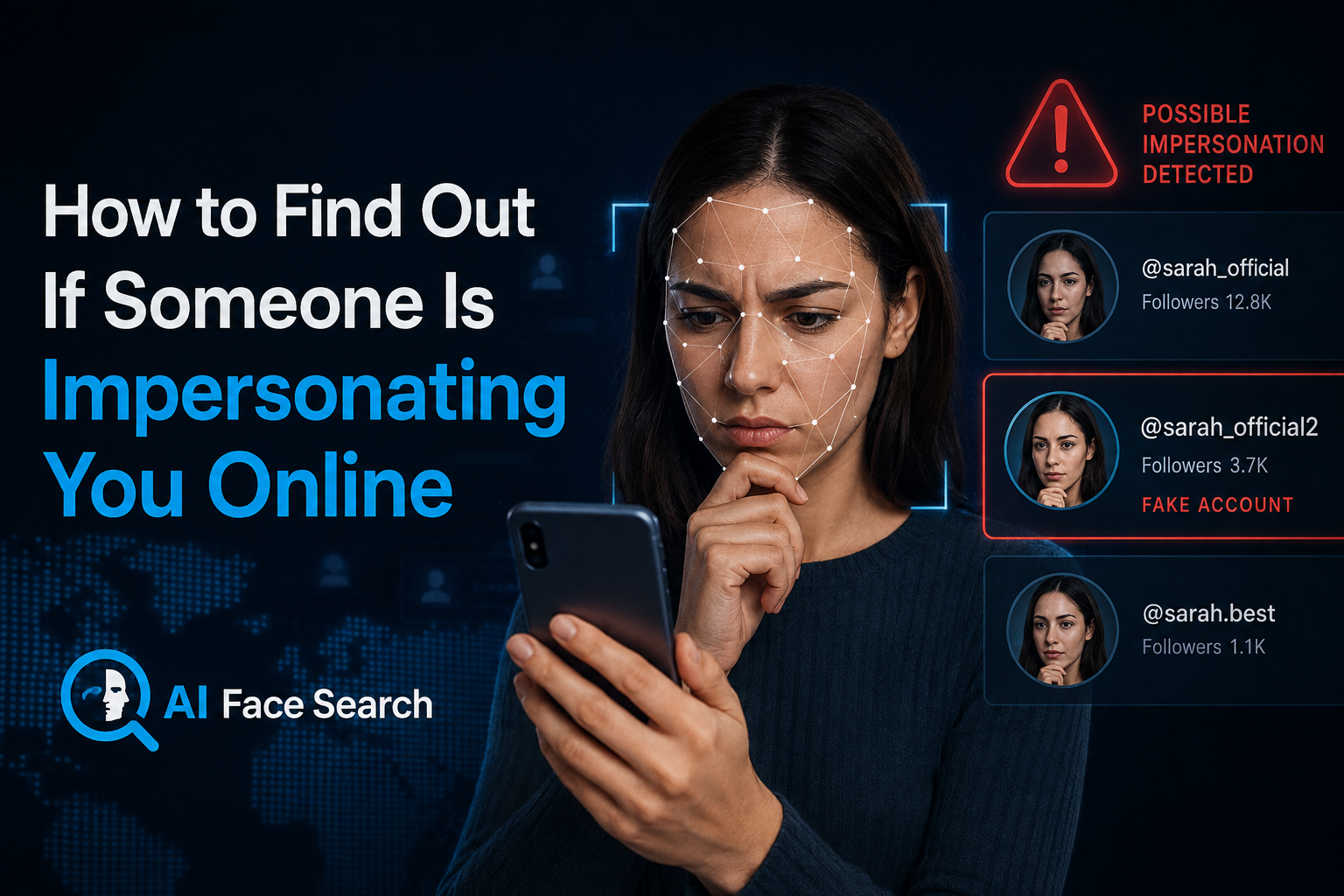
How to Find Out If Someone Is Impersonating You Online
Online impersonation isn’t rare, and it isn’t limited to celebrities or public figures. Security researchers estimate that well over a hundred million fake profiles exist on major social platforms at any given time, and a meaningful share of them exist specifically to impersonate a real, identifiable person — copying their name, photos, biography, and even posting style closely enough to deceive that person’s own contacts. Separately, cybersecurity researchers tracking account compromise found that a large majority of people whose accounts get hacked later discover the attacker used their identity to impersonate them directly to friends, family, or professional contacts.
Whether it’s a cloned profile used to scam your friends, a fake account built entirely from your public photos, or a more targeted professional impersonation, the earlier you catch it, the less damage it tends to cause.
How Online Impersonation Actually Happens?
Account Cloning
The most common form: someone copies a real, active account’s profile photo, name, and often bio, then creates a near-identical new account and sends friend or follow requests to the original account’s network. Because the cloned profile looks familiar, a meaningful percentage of contacts accept without checking closely, at which point the impersonator can send scam links, fraudulent money requests, or malware directly through what looks like a trusted contact.
Full Identity Reconstruction
More sophisticated impersonation goes further than copying a profile photo — building a detailed, believable persona using publicly available information. Professional networking platforms are a particularly common target for this pattern, since job titles, employers, and professional connections are typically public by default, giving an impersonator everything needed to build a convincing fake professional identity, often used for fraudulent recruiting scams or fake business outreach.
AI-Generated and Deepfake Impersonation
A newer and faster-growing category uses AI to generate synthetic video or voice that convincingly mimics a real person, rather than simply copying static photos. Security researchers have documented live demonstrations of this — including a real-time deepfake that convincingly replaced a reporter’s face and voice during an actual broadcast interview — underscoring how far this technology has advanced beyond simply stealing a profile photo.
Account Takeover
Distinct from cloning, this involves an attacker gaining direct access to someone’s real, existing account — through a password breach, phishing, or credential reuse across multiple sites — and using it to impersonate the actual account owner from their genuine profile. Because password reuse remains widespread, a single compromised account frequently gives an attacker a path into several of a victim’s other accounts as well.
Signs You May Be Being Impersonated
Friends or Contacts Report Strange Messages
Often, the very first sign of impersonation isn’t something you notice yourself — it’s a friend or colleague asking why you sent them an unusual message, link, or money request you never actually sent.
Duplicate Accounts Appear in Search
Periodically searching your own name (and variations of it) alongside your profession, city, or other identifying details can surface duplicate or near-duplicate profiles you didn’t create.
Your Photos Appear on Unfamiliar Profiles
This is where a facial or reverse image search becomes directly useful: searching your own profile photos can reveal whether they’ve been copied onto other, unfamiliar accounts — sometimes attached to a different name entirely, sometimes cloned almost exactly.
Unusual Login or Account Activity
Unexpected password reset emails, login notifications from unfamiliar locations, or messages sent from your account that you don’t remember writing are strong indicators of an account takeover rather than a simple clone.
How to Actively Check for Impersonation?
Search Your Own Name and Photos Periodically
Treat this the way you’d treat checking your credit report — not something you do once, but a periodic habit. Search your name across major platforms, and run your most-used profile photos through a facial or reverse image search to check whether they’ve surfaced on accounts you don’t recognize.
Try Face Search Now!


Check for Look-Alike Usernames and Handles
Impersonators frequently use handles that are extremely close to the original — a slightly altered spelling, an added number or underscore, or a near-identical display name paired with a copied photo. A quick manual search of common variations of your own handle across platforms can catch these early.
Ask Your Network Directly
Because impersonation often targets your existing contacts rather than strangers, occasionally asking close friends, family, or colleagues whether they’ve received anything unusual “from you” can surface an active impersonation attempt before it causes real damage.
Set Up Ongoing Monitoring for High-Exposure Situations
For public-facing professionals, business owners, or anyone with a large public following, manual periodic checks may not be frequent enough. Automated brand and identity monitoring tools — which continuously scan for new accounts using your name, photos, or likeness — are increasingly treated as a baseline precaution rather than an optional extra, since research on brand impersonation has found that fake accounts are often live and active for weeks before anyone internally notices them.
What to Do Once You Confirm Impersonation?
Document Everything Before Reporting
Screenshot the fake profile, its posts, and any messages sent from it before filing a report — impersonation accounts are sometimes deleted or altered quickly once reported, and you may need this evidence later, particularly if financial fraud is involved.
Report Directly to the Platform
Every major platform has a specific impersonation-reporting process, distinct from general content reporting, and usually requires you to confirm your own identity as part of the process. Response times vary significantly between platforms, so understanding each platform’s specific evidence requirements in advance (rather than during an active incident) speeds up resolution meaningfully.
Warn Your Network Proactively
Rather than waiting for contacts to individually discover the fake account, a direct, public post (or personal message to close contacts) warning that a specific account is impersonating you can prevent scam messages sent from the fake profile from succeeding.
Secure Your Real Accounts
If impersonation coincides with any sign of account takeover — unfamiliar login activity, password reset emails you didn’t request — change your password immediately, enable two-factor authentication if it isn’t already active, and check for and revoke any unfamiliar connected apps or sessions.
Consider Legal or Law Enforcement Involvement for Serious Cases
Impersonation that involves financial fraud, harassment, or serious reputational harm may warrant a formal report to law enforcement or, for significant financial losses, a report to your national consumer fraud agency, in addition to platform-level reporting.
Building Impersonation-Resistant Habits Going Forward
No set of habits eliminates the risk entirely, but a few practices meaningfully reduce your exposure: keeping your most identifiable photos slightly less universally public, reviewing privacy settings on personal accounts periodically, using unique passwords across platforms so a single breach doesn’t cascade into others, and treating a periodic self-search — of your name and your photos — as a normal part of managing your online presence, the same way you might periodically check your own credit or public records.
Discusion
ALPHANo comments yet
Be the first to share your thoughts on this article!